Reallusion Importer for Houdini

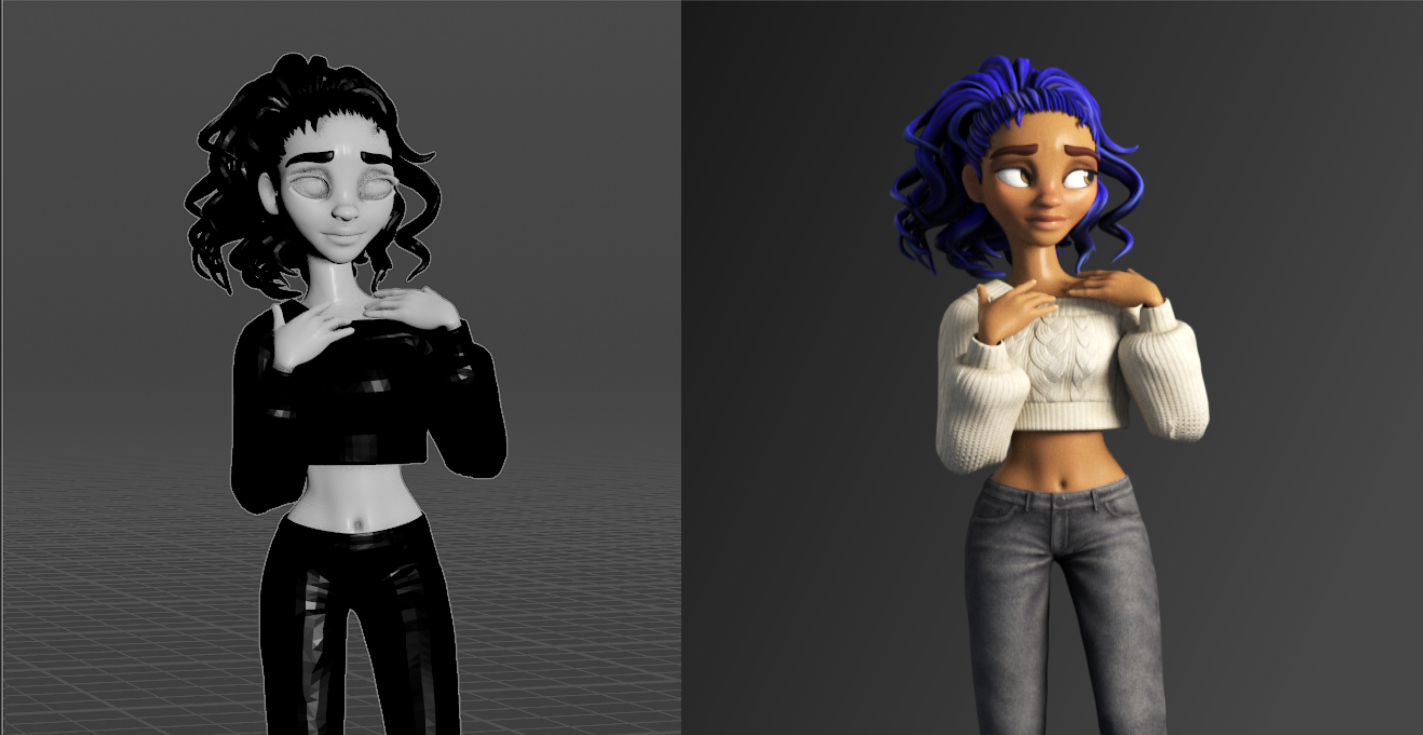
Reallusion Importer for Houdini (v1.2.1) turns a Character Creator 5 or iClone 8 character into a fully shaded, animatable, render-ready character in Houdini's Solaris environment — in seconds instead of hours.
Export your character from Character Creator as USD (fast and light, the recommended default) or FBX, point this tool at it, and click one button. It rebuilds your character in Solaris with proper Karma MaterialX materials for skin, eyes, teeth, hair, and clothing, then gathers every meaningful look control onto a single panel so you can art-direct the result without touching a shader node.
Built for Character Creator 5 / iClone 8, working with all CC3+ characters. Ships as a black-boxed Houdini Digital Asset, tuned for Karma XPU and also renders in Karma CPU.
The best-quality workflow
USD import is fast and light, but the expression wrinkles — the thing that makes a Character Creator face look alive — are FBX-only. For the best-looking result, import your character as FBX and drive its motion with lightweight USD motion clips. You keep the wrinkles while the animation stays featherweight. See USD vs FBX.
What it does for you
- One-click character setup. Import, material building, and look controls happen automatically. No manual shader wiring.
- Karma XPU materials out of the box. Physically-based MaterialX skin (with subsurface scattering), refractive eyes, teeth, and transparent card hair.
- Animated facial wrinkles. The expression-driven wrinkle system that makes Character Creator faces look alive is reconstructed live in Karma, reacting to the character's animation.
- A full hair re-dye system. Recolor any character's hair — root-to-tip ombré, highlight streaks, and realistic directional sheen — without going back to Character Creator.
- Stylized eyes. Make eyes glow, or even cast light into the scene, with several artistic modes.
- Flexible animation. Add multiple motion clips and switch between them, retarget clips from differently-proportioned characters, and drive the body from one clip while keeping another's facial performance.
- Skin Fix. Clean up mesh intersections — clothing poking through the body — with built-in Sculpt and Soft Edit tools, right inside the asset.
- Optional render setup. A three-point light rig, camera, and Karma render settings, ready to go.
Who it's for
Indie character artists, animators, and small studios who use Character Creator or iClone and want to render their characters beautifully in Houdini and Karma — without becoming a lookdev TD first.
You don't need to know how MaterialX works, or understand subsurface scattering or anisotropic hair shading. The tool handles the hard parts and gives you simple sliders and color pickers for the creative parts.
How to use this documentation
If you're brand new, read these three pages in order:
- Requirements & Installation — get the tool into Houdini.
- Preparing Your Character in Character Creator — export your character the right way (this matters!).
- Quick Start — import your first character.
After that, Using the Asset explains every control in detail, and Reference covers performance, troubleshooting, and what's new in each version.
This tool is an independent product and is not affiliated with, endorsed by, or sponsored by Reallusion or SideFX. "Character Creator," "iClone," and "Houdini" are trademarks of their respective owners.